#littlefedi

51 posts · Last used 14h

Boosted by @fedicat@pc.cafe
A new build of littleFedi (2026.11.16) is out! The Little Computer People have been busy, and we're happy to share a new release of littleFedi! Before reading the long changelog, there's something important we'd like you to know about upgrading. ⚠️ Important: Upgrading littleFedi This release includes database migrations that run automatically on the first startup. Some of them may take a while, especially on larger databases or slower hardware. Please read these instructions carefully before upgrading. Stop littleFedi and make a backup. Back up your database, configuration, and media files. Remember to save any encryption keys stored in the service environment, too. See docs/backup-restore.md for backup and restore instructions. Replace the binary. Download the new binary for your operating system, CPU architecture, and database/media backend. Replace the old binary and start littleFedi using your existing configuration. No separate migration command is needed. Allow the database migrations to finish. littleFedi will automatically perform the necessary migrations on its first startup. One of these rebuilds SQLite indexes and may take considerable time on large databases, particularly when running from an SD card. Make sure your service manager allows enough time for startup. Do not stop or restart littleFedi while migrations are running. Check that everything is ready. Wait for startup to complete, then check the logs and the /readyz endpoint before using your instance. Subsequent startups will skip migrations that have already completed. Need to roll back? Stop littleFedi and restore your pre-upgrade backup before starting the previous binary. Never run an older binary against a migrated database. What's new? As with previous releases, many of the changes come directly from the people who make this project worthwhile: our friends on this instance, those who have started self-hosting littleFedi, and everyone who has taken the time to test, report bugs, suggest improvements, or review our code. We've continued working on the things that matter to us: keeping littleFedi lightweight, efficient, reliable, and enjoyable to use, without unnecessary complexity. And yes, we're still very much committed to making the Fediverse accessible even to the smallest computers! Here's what's changed in this release: Changelog Account blocks now hide posts in profiles, search, threads, quotes and streaming, and stop new follows, mentions, replies, favourites, reactions, poll votes, boosts and direct messages in both directions. Blocked profiles keep only the account's identity and block/report actions. Existing direct conversations stay readable, and email and push notifications check for blocks before sending. Other accounts on the same server remain reachable, even when they share an inbox. Public posts remain available to anonymous readers and other instances. Static blog pages now leave out unlisted replies. Only replies with public visibility are included. Rebuild existing blogs after upgrading to remove unlisted replies from pages generated by earlier versions. Content warnings now display apostrophes and other HTML entities correctly in posts and notifications, instead of showing codes such as '. Source builds now require Go 1.27.4. Updated the Go dependencies, bundled Alpine.js and htmx, and the security tools used in CI. Rebuild existing binaries to pick up the Go security fixes. With housekeeping.max_delete_per_run = 0, status pruning now keeps going in batches of 500 until no eligible posts remain. Previously, remote pruning stopped after 500 posts and local pruning after 500 per account. Positive limits still apply across local and remote posts. Failed deletions are left for the next run rather than retried in a loop. The inbox no longer fetches a key for an unknown actor's self-delete. Requests with a Signature header are acknowledged with 202 and dropped when the actor and deleted object are the same URI and the account is absent locally. Domain blocks still apply; deletes of known accounts and posts still need authentication. Incoming HTTP signatures now have their timestamps and body digests checked before fetching a public key or verifying the signature. Stale requests and damaged bodies can be rejected without a network request. Public instance counts on /about and the v1/v2 instance APIs are cached for 30 seconds, instead of counting the database on every request. The admin dashboard still reads fresh counts. SQLite reply and quote indexes now leave out NULL entries. This reduces their size and avoids a slow query plan when loading RSS feeds. Migration 007 rebuilds all four indexes at startup and can be slow on large databases, especially on SD cards. Allow extra time for the first startup after upgrading; later starts skip the migration. The interface is now available in Catalan, thanks to Jolupa, who translated it. It can be picked in the settings like the other languages, and Catalan is also in the list of languages a post can be tagged with. Strings added after the translation was made were filled in afterwards and are the ones most worth a second look. Boosts can be scheduled, to spread them out instead of filling followers' timelines all at once. Hold the boost button for half a second, or open the post, and pick a time under "Boost later". A quick press still boosts right away. Scheduled boosts show up on the Scheduled page next to scheduled posts and can be moved or cancelled there. If the post is deleted or becomes impossible to boost before then, the boost is dropped. Mastodon apps have no notion of a scheduled boost, so the API leaves them out. Scheduled posts can now be edited, not just moved to another time. The Edit button on the Scheduled page opens the post in the composer with everything it had, including the time, and saving puts it back on the schedule. Before, the only way was to cancel it and write it again. A post that is already being published can no longer be edited. Posts can be saved as drafts. The composer has a "Save draft" button next to Post, and the new Drafts page lists them, newest first. Opening one brings back the text, content warning, audience, language, attachments, poll and expiry, and the post it replies to or quotes. Posting or scheduling a draft removes it. Everything is a plain form, so it works without JavaScript and in text browsers. Drafts live on the server and are not shared with Mastodon apps, which have no API for them. The image viewer can now move between the pictures of a post. Use the arrows on screen, the left and right keys, or swipe on a phone. Before, each picture had to be closed and the next one opened by hand. Without JavaScript nothing changes: each picture still opens on its own. In French the image viewer had no name for screen readers. The apostrophe in "Visionneuse d'images" broke the expression that sets it. Translated labels are now read from data attributes, so quotes in a translation can no longer break the script. The Roost theme works better on phones. Post actions fit on one row, the back link is a flat row instead of a pill against the screen edge, the profile banner and avatar no longer fill the first screen, and the bottom bar marks the current page without a filled block. Unread mentions and direct messages now stand out from the other unread notifications. In Roost the mention colour was the same blue as the unread mark, and in every theme their rows took the same background as any unread row. Herd and Ink also get mention colours further from their accent. Filters set to warn now work on the catch-up page. The filtered posts were shown in full, without the filter notice. Filters set to hide already worked there. Direct message notifications have a magenta edge, an envelope icon and their own label, so they stand apart from public mentions. Boosts from a followed account can now be hidden from the home timeline, with the "Hide boosts" button on their profile or the matching switch in Mastodon clients. Their own posts still show up. Boosts already in the timeline go away too, and come back if boosts are shown again. The reblogs parameter of the follow API was accepted but ignored until now. Push delivery now follows up to three 307/308 redirects within the same HTTPS origin. The Mastodon app relay redirects endpoints without a trailing slash; those pushes previously failed after all retries. Pushes for favourites, boosts and federated mentions now carry notification_id. Those jobs were built before the notification was stored, so the ID was missing, and the official iOS app showed only the relay's placeholder trumpet instead of the notification. The bookmark button on boosted posts now stays in sync after refreshing the home timeline. Before, it could appear inactive while the post was still bookmarked, and clicking it again removed the bookmark. Replies no longer show the previous post as unavailable after it has been downloaded. Refreshing or reopening the reply now keeps the correct reply target in timelines, boosted posts and Mastodon clients. The open thread page also updates its reply label as earlier posts arrive. Redrew the quote icon. The old one, two squared-off hooks side by side, could be read as "SS". It now looks like a pair of quotation marks. Logging in with toot from the command line now works. toot opens /oauth/authorize/ with a trailing slash, which returned 404. URLs with a trailing slash are now routed like the ones without, as on Mastodon. With require_approval on, new accounts were created already approved: they could sign in at once and never showed up in the approval queue. They now wait for an administrator. Accounts registered while the bug was present stay approved; check recent signups if the setting is on. Filter keywords created from a Mastodon client with whole_word turned off were saved with it on. Leaving whole_word out still means on, as in Mastodon. Mastodon apps no longer show littleFedi's own notification types (follow accepted, unfollows, blocks, emoji reactions, blog rebuilds and others) as broken entries, and their unread badge no longer counts them. A client can still ask for them with types[], which the notification endpoints now honour. exclude_types[]=pleroma:emoji_reaction now works too. The user:notification stream carries only notifications. Before, it also sent home timeline posts, which some clients (Tuba) showed as empty notifications. The instance documents report image_matrix_limit as a pixel count, taken from max_image_pixels and max_image_dimension. It was 4096, which clients read as 4096 pixels in total and used to shrink uploads to a thumbnail. The video limits Mastodon's iOS app requires are there too. New client API endpoints: GET /api/v1/accounts?id[]=, /api/v1/accounts/lookup, /api/v1/accounts/familiar_followers and /api/v1/notifications/policy. Mastodon for iOS and Tuba call them. Push notifications now reach the Mastodon apps (Mastodon for Android and iOS, Tusky, Ice Cubes, Ivory, Mona). Apps that don't ask for standard: true get the older aesgcm encoding, which is the only one several of them can decrypt, and every push now carries the access token and a numeric notification ID, without which the apps drop it. Form encoded subscriptions are accepted, and the subscription ID is a number as the apps expect. Subscriptions made before this release keep the old behaviour: turn notifications off and on again in the app, or sign in again. Polls no longer break Mastodon for iOS and Android. own_votes and emojis are always lists, and expires_at uses Mastodon's date format. Deleting a post from an app returns the deleted post with its source text, so "delete and redraft" keeps the text. Deleting it twice returns 404. Timeline paging: min_id returns the page right after the cursor instead of jumping to the newest posts, which made apps skip everything in between when filling a gap. A cursor pointing at a deleted post keeps working, and an unknown max_id returns an empty page instead of the top of the timeline. min_id and since_id work for notifications too. Link headers are now absolute URLs and keep the other query parameters. Followers, following, blocks, mutes, favourites, bookmarks, lists and list members send them too, so apps can load more than the first page. Media sizes are reported under meta.original as well, and remote media keep their blurhash and size. Apps used them to lay out images before they load. Accounts without an avatar or header point to a placeholder image instead of an address that returned 404. Accounts also report uri and hide_collections, and relationships requested_by and languages. The default post visibility and language set in the profile are reported to apps and used when an app leaves them out. /api/v2/instance reports the VAPID key under configuration.vapid and translation.enabled. Mastodon for iOS reads both. Loading images, avatars and emoji no longer counts against the rate limit. Scrolling a busy timeline could hit it, and every API call after that failed. An API request over the limit now gets a JSON error with Retry-After, and unknown API routes return JSON 404 and 405 errors instead of HTML. littleFedi now logs a warning when requests come from a local reverse proxy that is not listed in http.trusted_proxies. In that case every visitor shares the proxy's rate limit. CORS preflight allows the headers the browser asks for (Idempotency-Key among them) and exposes Link and Retry-After to web clients. Idempotency-Key is honoured when posting: a retried request returns the post created the first time instead of a duplicate. Tokens from client_credentials (the app's own token, before a user signs in) are treated as anonymous on public endpoints instead of being refused. Filters: keywords_attributes works when creating and editing a filter, in JSON and form encoding, and the /api/v2/filters/:id/keywords and /api/v2/filters/keywords/:id endpoints are new. New endpoints: GET /api/v1/accounts/search, /api/v1/statuses/:id/history, /api/v1/timelines/direct and /api/v2/notifications/unread_count. The streaming API accepts the token in Sec-WebSocket-Protocol, as the Mastodon web client sends it, and tokens limited to read:statuses and read:notifications. The "Clear all" button on the notifications page is now called "Delete all", in every language, since that is what it does. Profile fields: up to four label and value rows on your profile, edited in Settings or from any Mastodon app, and shown under the bio on the profile page. They are sent to other servers like Mastodon's, and the ones remote accounts publish are now shown on their profiles. Remote accounts already known get theirs the next time their profile is fetched again. Links work; verified_at is always empty, as littleFedi does not check rel="me" links. Apps can mute a conversation (POST /api/v1/statuses/:id/mute and /unmute). Mentions, likes, boosts, quotes, edits and reactions in that thread stop notifying you. Apps can keep a private note on an account (POST /api/v1/accounts/:id/note). Only you see it. Followers can be removed from an app (POST /api/v1/accounts/:id/remove_from_followers). A remote follower's server gets a Reject of the follow, as from Mastodon. Conversations can be removed from the list from an app (DELETE /api/v1/conversations/:id); a new message brings them back. POST /api/v1/conversations/:id/read works too. Saving the profile from an app with an empty bio or display name now clears it. Before, empty values were ignored and the old text stayed. The default post visibility and language set in an app are saved too. MastoBlaster could not read its push subscription: the alerts object had no update key. It is now there, and apps can turn on pushes for edited posts. Renaming a list and changing push alerts from MastoBlaster failed with 405, because it sends PATCH; both endpoints now take PATCH as well as PUT, like Mastodon. Three database migrations run at startup. One adds the standard and access_token columns to push_subscriptions. One adds accounts.fields_json and the thread_mutes, account_notes and hidden_conversations tables. The last adds push_subscriptions.notify_update. All of them only add, nothing existing is changed, and all can be rolled back. A big thank you to everyone who has been following this little adventure, testing new builds, sharing feedback, and helping us improve. littleFedi is still a young project, and there's plenty more to do. But every release brings us a little closer to what we've wanted from the beginning: a federated social platform that's simple to run, easy to maintain, and doesn't require a powerful server just to participate in the Fediverse. Small computers deserve a place in the Fediverse, too. ❤️ Happy upgrading, happy self-hosting, and stay tuned! The Little Computer People #littleFedi #Fediverse #SelfHosting #OpenSource OwnYourData
0
0
1
0
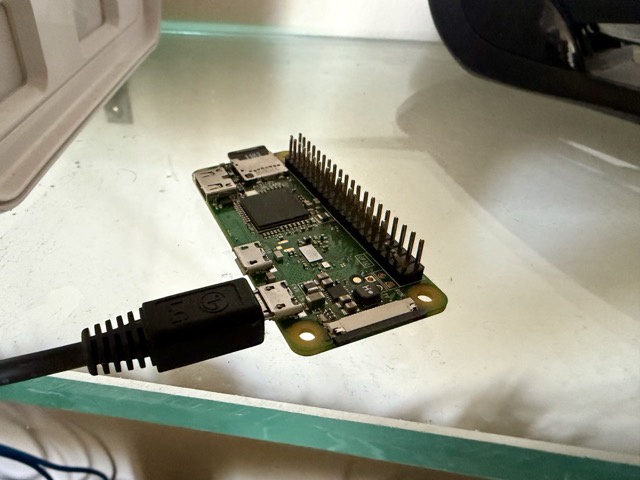
RE: https://littleone.littlefedi.social/@stefano/01a07c8a-904d-7503-af16-b9bbe8f11f08 This makes me particularly happy. 😄 littleFedi will get its first public showing at Berlin FediDay, running on a Raspberry Pi Zero 2 W. Meanwhile, I will be at EuroBSDCon. Two events, two communities I care deeply about, and one very interesting weekend ahead. #littleFedi #Fediverse #OwnYourData
Quoting
For the first time, littleFedi will be shown publicly And I have to say, this makes me very happy. :) A pre-release build will be running on a Raspberry Pi Zero 2 W at Berlin FediDay, where people will be able to see it, try it, play with it, and probably abuse it a little too. Unfortunately I won't be there in person, because I'll be at EuroBSDCon that same weekend. But really, what better place than FediDay for the first public appearance of littleFedi? A huge thanks to @vortex@tldr.nettime.org - Adam - for taking this on, building the demo, testing it independently, and agreeing to respect the temporary source embargo while we complete the last checks before the public release. I'm especially curious to see how littleFedi behaves once it's in the hands of people who didn't build it. This is exactly the kind of test I was hoping for. More details about the presentation: https://ctalx.c-base.org/fediday-2026/talk/review/AJNLVMPYRSVX3JDHDHYSEZZNSP9KQSYH #littleFedi #littleOne #OwnYourData #Fediverse
Open quoted post
35
2
10
0
For the first time, littleFedi will be shown publicly And I have to say, this makes me very happy. :) A pre-release build will be running on a Raspberry Pi Zero 2 W at Berlin FediDay, where people will be able to see it, try it, play with it, and probably abuse it a little too. Unfortunately I won't be there in person, because I'll be at EuroBSDCon that same weekend. But really, what better place than FediDay for the first public appearance of littleFedi? A huge thanks to @vortex@tldr.nettime.org - Adam - for taking this on, building the demo, testing it independently, and agreeing to respect the temporary source embargo while we complete the last checks before the public release. I'm especially curious to see how littleFedi behaves once it's in the hands of people who didn't build it. This is exactly the kind of test I was hoping for. More details about the presentation: https://ctalx.c-base.org/fediday-2026/talk/review/AJNLVMPYRSVX3JDHDHYSEZZNSP9KQSYH #littleFedi #littleOne #OwnYourData #Fediverse
0
0
0
0
Okay, nice. Managed to lock down this #littlefedi instance a little bit more to prevent my accidentally "public" posts to be scraped via the web interface. In my littlefedi.toml: [web] redirect_guests_to_about = true And then in #OpenBSD relayd I have the following in addition to this: # /etc/relayd.conf # [...snip...] http protocol "http_to_https" { #[... snip...] # Littlefedi forwards block request quick path pattern "^/public/local" pass request quick header "Host" value "0xde501a7a.net" forward to #[...snip...] } This should be very solid enough :)
1
0
1
0
Boosted by @fedicat@pc.cafe
A new build of littleFedi (2026.10.13) is out! We've made several changes based on reports from our friends on this instance, feedback from those who have started self-hosting, and code reviews by the Little Computer People. Here's a non-exhaustive changelog: Alt text changed while editing a post from a Mastodon client (Mastodon web, Phanpy, Elk, Ivory, Tusky and others) was silently dropped. It is now saved and sent to other servers with the edit. Alt text of images already attached to a post can now be edited from the web composer. When a remote author adds or changes alt text by editing a post, the change now shows up here too. Before, the post kept its old description, and stayed hidden for anyone filtering out media without alt text. PUT /api/v1/media/:id can now clear a description, and refuses media that is already attached to a post, as Mastodon does. Use the status edit instead. Alt text is limited to 1500 characters on the server too, not only in the browser. Longer remote descriptions are cut at the same length. The limit is reported as description_limit in /api/v2/instance. Media without alt text now report description as null in the API, so clients no longer show an empty ALT badge. New Favourites page in the web interface, in the main menu, listing the posts you liked, most recent first. Paging through /api/v1/favourites skipped or repeated posts after the first page. It now continues from the last post shown, like bookmarks. When the timeline tabs or the top menu do not fit on one line, they now show only their icons. Before, some themes cut the last items off or split them over two rows. Keep the canonical instance actor URL public in secure and allowlist modes, fixing a key-fetch deadlock with other authorized-fetch servers. With split domains, /api/v1/instance now reports the handle domain as uri, and actors carry a webfinger property with their canonical handle. Hashtags can now be followed from the search in Settings > Followed hashtags, even before any post uses them. Hashtag pages with non-ASCII names, such as #caffè, now open and follow correctly. New [web] redirect_guests_to_about sends signed-out visitors from / to /about, and [web] public_blog_directory = false puts /blogs and its sitemap index behind the login. public_local_timeline = false now also hides the links to the local timeline and asks for login on /public/local and when scrolling, not only on /. Signed-out visitors could load the federated and bubble timelines through the scrolling endpoint. They now get the login page. Moved profiles now show the destination and replace Follow with a link to the new account. Old posts remain accessible, and cached account data is refreshed as soon as the move is saved. Move notifications now show and link to the destination, while the account name still opens the original profile. Moves by different users stay in separate notification rows when grouping is enabled. Cached timelines now pick up new posts when blog publishing is enabled, without waiting for the page cache to expire. Incoming boosts also update open timelines through streaming. Profile bios can now contain up to 5,000 characters in the web editor, up from 500. The notifications page now has a Mark all as read button. Clear all still deletes them. Follows imported from CSV are now saved before the upload is confirmed and resume after a restart. Settings and the API show progress, existing follows and failed lookups. Follow requests and their outgoing deliveries are saved together, and only one import can run per account. This uses the existing database schema. CSV files over migration.max_follows_import are now rejected instead of being silently truncated. Set the limit to 0 to import the whole file. CSV imports now leave an internal notification when they finish or stop after a terminal error, with a summary and a link to that import. Retries do not duplicate the notice; no email or push is sent. Multiple Mastodon API Fixes Replies in the web interface now keep the original post's content warning, both in the timeline and on the thread page. Media can be added to a post by dragging files onto the composer or by pasting an image, as well as with the file picker. Files dropped elsewhere on the page go to the main composer instead of replacing the page. Enjoy! #littleFedi #Fediverse
0
0
1
0
Boosted by @fedicat@pc.cafe
Hi friends! Now that littleFedi has been released and new instances are starting to appear, we can focus again on development and testing. From now on, the littleFedi accounts on this instance will work like this: The announcement - @littlefedi_official@littleone.littlefedi.social - account will be used for announcements: new releases and important communications. It will be a very low-traffic account, so I suggest following it with some attention. A new build, by the way, is not far away... 😉 There will also be an account dedicated to hints, where we will publish, notice the plural 😏, tips, tricks and useful little things about littleFedi. It does not exist yet, but I will create and announce it as soon as possible. This account will remain more general, as it is now, although of course it will mainly talk about littleFedi. This instance will remain our test instance. New builds and new features will be tested here before their public release. For now, the littleFedi development model will also remain the same: the developers develop, fix, experiment and, when something is ready, a new version is released. Open Source is freedom, not conformity. littleFedi has its own history, its own way of growing and its own direction. We will keep following them, without trying to imitate a model just because it is the most common one in the Open Source world. Open Source was born to let people do things differently. littleFedi is free. #littleFedi #littleOne #Fediverse
0
0
1
0

Just to help you get through these difficult times while there isn't yet an official #littlefedi package on #OpenBSD, here's an installer script for the binary only:

cat ./update_littlefedi.sh

#!/bin/sh set -e if [ "$(id -u)" -ne 0 ]; then echo "Run this as root." >&2 exit 1 fi

salt=dd if=/dev/random bs=128 count=1 2>/dev/null | sha1 release="littlefedi-openbsd-amd64" bin_path="/usr/local/bin/$release" tmp_path="/tmp/$(echo "$salt-date +%s" | sha1)"

mkdir -p $tmp_path ftp -o $tmp_path/$release https://littlefedi.social/downloads/binaries/$release install -b -o root -m 0755 $tmp_path/$release $bin_path rm -rf $tmp_path echo "LittleFedi updated and installed at $bin_path." exit 0

@stefano@littleone.littlefedi.social @littlefedi_official@littleone.littlefedi.social

15
3
14
0
Boosted by @fedicat@pc.cafe
Thank you, @dch@bsd.network One of the peculiarities of littleFedi is that it was developed and tested first on the BSDs, then on illumos, and only later on Linux. The first public instance, my own @stefano@rpi0w.stefanomarinelli.it account, runs on a Raspberry Pi Zero W with NetBSD. I don’t think many social platforms have started out on NetBSD in recent years. #NetBSD #FreeBSD #littleFedi #Fediverse
Quoting
I want to publicly thank @dch@bsd.network The FreeBSD port of littleFedi was already ready at release time, and it’s really well done. One of the peculiarities of littleFedi is that it was developed and tested first on the BSDs, then on illumos, and only later on Linux. The first public instance, my own @stefano@rpi0w.stefanomarinelli.it account, runs on a Raspberry Pi Zero W with NetBSD. I don’t think many social platforms have started out on NetBSD in recent years. #ThankYou #RunBSD #NetBSD #FreeBSD #OpenBSD #illumos #OwnYourData #Fediverse #littleFedi
Open quoted post
0
0
1
0
I want to publicly thank @dch@bsd.network The FreeBSD port of littleFedi was already ready at release time, and it’s really well done. One of the peculiarities of littleFedi is that it was developed and tested first on the BSDs, then on illumos, and only later on Linux. The first public instance, my own @stefano@rpi0w.stefanomarinelli.it account, runs on a Raspberry Pi Zero W with NetBSD. I don’t think many social platforms have started out on NetBSD in recent years. #ThankYou #RunBSD #NetBSD #FreeBSD #OpenBSD #illumos #OwnYourData #Fediverse #littleFedi
58
13
31
1
RE: https://littleone.littlefedi.social/@littlefedi_official/01a0f644-8ed6-7a7d-ade6-46f4c0a74f41 littleFedi is out! #littleFedi #Fediverse
Quoting
The Little Computer People Present littleFedi: Our First Public Release "Hi, We would like to show you a small project we've built and used over the last few years. It's a Mastodon-like platform that federates using its own protocol and can work even without HTTPS or public Internet access. Many of us have restrictions on our communications, and this project has helped us stay in touch and have our own social network. We'd love to show it to you and hear what you think, because your OwnYourData message really resonates with us." The Story And this email sat ignored for weeks. It came from an anonymous, generic mailbox, with an even more anonymous and suspicious subject. The spam filter had classified it as, well, spam, for other reasons too. Only when I checked the spam folder again, weeks later, did I move it to the Inbox. "Why not?", I thought. And I asked to see what they had built. There was no way for me to connect to one of their instances. They trusted me and sent me the code which, although fragmented and loosely put together, compiled and ran natively on FreeBSD. But before that: "We only ask you to never say anything, at least until we're ready. We don't want to be visible and, inevitably, judged or attacked. We tried something else before and backed away. Our software isn't high quality and we know it. But it works, for us, and we have fun building it. When it works we're happy, shut away in our rooms, often in the middle of the night. Sometimes, joking, we say we're like little people living inside our computers and that, thanks to this software, we can talk to each other." At that moment I smiled and thought of a 1985 video game, from my childhood, that was quite revolutionary at the time: "You're like Little Computer People". They liked it. And that's how the group got its name: the Little Computer People. My first test went well. I was immediately struck by the lightweight interface. "We have old computers, slow hardware. It has to be light. It just has to!". Abundance led to waste. And yet I preferred that light interface, even if incomplete, to many of today's heavy social interfaces, commercial or not. But the code had gaps, pieces held together with duct tape, unfinished parts. They knew it, they had told me, and they were ashamed of it. "You should be proud of what you're doing. It's beautiful", I wrote to them. "We'll never release it." The battle, if we can call it a battle, was a long one. They weren't far from making it ActivityPub compatible, and there was already a basic draft implementation (tested only with snac). "We don't want to show it, we don't feel up to it. We don't want to step on the toes of others like snac or GoToSocial, who have done a far better job than we have". I tried to convince them, also because the implementation was moving forward and the results were really encouraging. But no, they didn't feel ready. Until, luckily, one of them made a proposal: "We could release it... but we don't want to be seen. We want to stay in our computers and enjoy our code. We don't want to read praise, criticism or comments. We just want to have fun. Would you like to be one of the Little Computer People too? The human who talks to humans while we keep having fun?". I felt honoured and accepted. Explaining, among other things, that Open Source is not a battle. We are not in an arena, where the existence of one solution means crushing another. This software is not a slight against Mastodon or snac or GoToSocial, but one more choice. Nobody gains. Nobody loses. It's there. It exists. It's something beautiful, one more thing in the world. They agreed, leaving the license undecided and keeping the strictest confidentiality. The software had no name. But after we came up with the group's name, we affectionately called it our "little social". After the first real, complete ActivityPub federation (with proper tests), the current name was chosen among the alternatives: littleFedi. "You have more experience... what should we implement?". I thought about it, looked at what was still "in the oven" and what I'd really like to have. I made a list, detailed and very long. But the most important part, for me, was blogging. Then something happened, and development had to stop. Some devs could no longer work on it. Others weren't able to touch what the others had built. There was only one person who could carry on, albeit slowly, but their computer had broken and they could only communicate by smartphone. They couldn't buy another computer. And yet, a few days later, they received one. Ready to go. With FreeBSD inside. littleFedi risked stopping right there, with part of the team still against any public release, at least at that point. But sometimes things work themselves out just when you least expect it, and in a short time the "little" humans were back in their computers, having fun, unwinding, creating something beautiful. Until a hot day this summer, when I asked their permission to make my first littleFedi instance public, running on my Raspberry Pi Zero W. One of them was against it at first. Then changed their mind. And I did it, announcing it to the world: https://rpi0w.stefanomarinelli.it/@stefano/blog/2026/07/01/littlefedi-light-yet-complete/ They don't want to interact with the world, but I still decided to show them the comments - all positive. That evening, the private test instance started showing (without me knowing) balloons and streamers every time we logged in. It was a party. And that made my next task easier, leading to the first public instance: littleOne When I announced it, a lot of friends chose to join the test, and thanks to them a huge number of issues were found and fixed. A huge thank you to them. I acted as a bridge between them and the team, fixing and implementing what I could myself. I'm not primarily a dev but a system administrator, and I prefer not to touch what I don't know. The enthusiasm of the Little Computer People, though, was obvious even without them saying it: bugs were fixed in minutes, hours at most. We merged test branches quickly, so the friends on littleOne could try them. Towards a Release The last two months saw a lot of development, but mostly focused on reviewing and cleaning up the code. With one single goal: a first public release. The chosen license, after some thought, is MIT. The point is to give it to the world. This software was born from people who want to communicate with other people, and that's what matters. It's a means, not an end. Because those who don't have freedom dream of freedom without restraints. There is much more documentation than what we're releasing today, along with tests and internal material that still needs to be reviewed. Some parts describe the project as it was designed, not necessarily as it was later implemented. Others haven't been checked enough yet to be published as reliable documentation. So we chose to release now what's ready: all the code needed to run littleFedi and enough documentation to get started. Not everything has been tested and certified in all the combinations we'd like, but what we're releasing is mature enough to be tried and used. As of today, littleFedi is available from the downloads page at https://littlefedi.org There won't be versioned releases for now, just snapshots of the code, both as source and as prebuilt binaries. What matters today is putting the tool in people's hands. Later, when things are ready enough, we'll probably move to good old git, on the BSD Cafe Forgejo. The sources already point there, but that project is currently private (and intentionally empty). What Is littleFedi So what exactly are we releasing today? littleFedi starts from a very simple idea: owning your own social space shouldn't require complex infrastructure. In its basic form it's a single static binary, a configuration file, SQLite and your media on the filesystem. You copy it to a machine and start it. The minimum "certified" target today is my Raspberry Pi Zero W running NetBSD, powered over USB by my switch. It's designed for small, single-user instances, but also for larger ones, with the option to use S3 for media storage (the main space problem of single-user Mastodon instances) or PostgreSQL instead of the built-in SQLite. How large can an instance be, exactly? We don't know yet. The code is there, ready to be tested. We'll leave that for you to find out! You can also already migrate the storage (live), not the databases yet (but there's a partially implemented draft, so that will come too). There are some rather unusual features, bringing together some of the nice ideas found in other implementations. It's written in Go, and Go allowed us to do something I care about a lot: FreeBSD, illumos, Linux, NetBSD and OpenBSD are not secondary ports of software designed only for Linux. Each one has its own operational documentation. It has a low power mode, lets you schedule a post or set, post by post, an expiration (propagated to other instances). It has a light and simple web interface, yet complete, with no frills, reasonably usable even without JavaScript. Care went into making the PWA pleasant and usable and, even with a few bugs left, it's in my opinion one of the best ways to use littleFedi. And, yes, if you don't want to use its web interface, littleFedi also speaks the Mastodon API: many existing clients can connect directly. It supports emoji reactions. It supports push notifications. Post visibility follows the usual Fediverse model, with two additional variants: Local and Local Unlisted. Because not every post we write needs to leave our instance. And, speaking of federation, it has a fairly clean approach: by default, it federates with everyone. But it also supports blocklists and allowlists. Yes, allowlists: you can choose a list of instances to federate with, and that's it. Only those. Activities to and from all the others will be silently dropped, to give you an experience tailored to your expectations. "Filter bubble?". If you want to call it that. I call it the freedom to decide who your instance talks to. And there's no need to doom scroll for fear of missing something: timelines are chronological, yes. But there's an optional Catch-up for when you come back after a few hours or days. It lives on a separate page and never decides what shows up in your timeline. If it shows you something, it also tells you why. But there are too many features to list here, it would become a boring list. The only way is... to try it. Worth mentioning, in my opinion, for how peculiar they are, are two main features: littleMesh and Blog. littleMesh, Blog and OwnYourData The first, littleMesh, is an alternative transport mode for federation. Remember the first email, when they talked about their own federation able to work even without public Internet? That idea didn't go away. It evolved into littleMesh. Two littleFedi instances can communicate even behind NAT or CGNAT, with no public address, DNS or inbound ports. All it takes is an external lighthouse. If you also want to talk to the traditional Fediverse, an HTTPS gateway comes into play. ActivityPub, though, stays ActivityPub. The blog feature is something I had in mind for a long time, and many of the friends who tried it on littleOne loved it. I like how WordPress federates into the Fediverse, but it's a CMS that federates. I wanted something different: a Fediverse platform, with a decent editor, that generates a static site. Simple, BSSG style, but complete and "eternal". HTML files, no need for JavaScript or images. Text is text, and I've always wondered why extra computation should be needed to show…words. When I saw the first draft, I fell in love with it. And I know those sites will still be readable in 10, 20, 30 years. Even without littleFedi. Because social networks are, by nature, ephemeral, but our ideas and thoughts sometimes deserve to stay. And above all, you're not publishing the same thing twice. The post is the same one. It federates normally and, if you choose it as a blog post, littleFedi also generates a static version of it. There's no CMS to keep in sync with the social network. But littleFedi doesn't want to cage you or hold you back. It supports account migration (to and from other instances), and it also lets you export a full archive with all your content, which can then be imported into another littleFedi instance. Sure, in that case domain and handle will change, but the content will stay, just at a different address. OwnYourData: it doesn't matter which drawer it's in, as long as it's your drawer. And, just like Mastodon, you can self destruct your instance: take it off the Fediverse, politely saying goodbye to the other instances and asking them to remove our keys and content from their databases. Because the Little Computer People don't want to make noise or bother anyone. They just want to communicate, and leave with a smile when it's time. Ready? In the last few weeks some friends have taken a look at the code and confirmed what we already knew. It may not be textbook code, but we're releasing it. There are well-engineered parts, others much less so, some to be reworked, many to be analysed, but it's a step. If we aimed for perfection we would never release, and promises are promises. I'm ready. The Little Computer People are ready. And the code is there, for anyone who wants to try this new communication project. The roadmap is already full of nice things to do, and more will be added. We're not in a hurry, it's not a competition. We want to do things properly. For your first instance, all you need is a computer and a reverse proxy. Download the source and build it, or grab the prebuilt binary from the downloads page: ./littlefedi init ./littlefedi --config littlefedi.toml And you're ready to federate with the world. Happy communicating, and use it well. We're going back into our computers. Stefano - @stefano@mastodon.bsd.cafe #littleFedi #littleOne #Fediverse #OwnYourData

Open quoted post
94
24
77
1
The Little Computer People Present littleFedi: Our First Public Release "Hi, We would like to show you a small project we've built and used over the last few years. It's a Mastodon-like platform that federates using its own protocol and can work even without HTTPS or public Internet access. Many of us have restrictions on our communications, and this project has helped us stay in touch and have our own social network. We'd love to show it to you and hear what you think, because your OwnYourData message really resonates with us." The Story And this email sat ignored for weeks. It came from an anonymous, generic mailbox, with an even more anonymous and suspicious subject. The spam filter had classified it as, well, spam, for other reasons too. Only when I checked the spam folder again, weeks later, did I move it to the Inbox. "Why not?", I thought. And I asked to see what they had built. There was no way for me to connect to one of their instances. They trusted me and sent me the code which, although fragmented and loosely put together, compiled and ran natively on FreeBSD. But before that: "We only ask you to never say anything, at least until we're ready. We don't want to be visible and, inevitably, judged or attacked. We tried something else before and backed away. Our software isn't high quality and we know it. But it works, for us, and we have fun building it. When it works we're happy, shut away in our rooms, often in the middle of the night. Sometimes, joking, we say we're like little people living inside our computers and that, thanks to this software, we can talk to each other." At that moment I smiled and thought of a 1985 video game, from my childhood, that was quite revolutionary at the time: "You're like Little Computer People". They liked it. And that's how the group got its name: the Little Computer People. My first test went well. I was immediately struck by the lightweight interface. "We have old computers, slow hardware. It has to be light. It just has to!". Abundance led to waste. And yet I preferred that light interface, even if incomplete, to many of today's heavy social interfaces, commercial or not. But the code had gaps, pieces held together with duct tape, unfinished parts. They knew it, they had told me, and they were ashamed of it. "You should be proud of what you're doing. It's beautiful", I wrote to them. "We'll never release it." The battle, if we can call it a battle, was a long one. They weren't far from making it ActivityPub compatible, and there was already a basic draft implementation (tested only with snac). "We don't want to show it, we don't feel up to it. We don't want to step on the toes of others like snac or GoToSocial, who have done a far better job than we have". I tried to convince them, also because the implementation was moving forward and the results were really encouraging. But no, they didn't feel ready. Until, luckily, one of them made a proposal: "We could release it... but we don't want to be seen. We want to stay in our computers and enjoy our code. We don't want to read praise, criticism or comments. We just want to have fun. Would you like to be one of the Little Computer People too? The human who talks to humans while we keep having fun?". I felt honoured and accepted. Explaining, among other things, that Open Source is not a battle. We are not in an arena, where the existence of one solution means crushing another. This software is not a slight against Mastodon or snac or GoToSocial, but one more choice. Nobody gains. Nobody loses. It's there. It exists. It's something beautiful, one more thing in the world. They agreed, leaving the license undecided and keeping the strictest confidentiality. The software had no name. But after we came up with the group's name, we affectionately called it our "little social". After the first real, complete ActivityPub federation (with proper tests), the current name was chosen among the alternatives: littleFedi. "You have more experience... what should we implement?". I thought about it, looked at what was still "in the oven" and what I'd really like to have. I made a list, detailed and very long. But the most important part, for me, was blogging. Then something happened, and development had to stop. Some devs could no longer work on it. Others weren't able to touch what the others had built. There was only one person who could carry on, albeit slowly, but their computer had broken and they could only communicate by smartphone. They couldn't buy another computer. And yet, a few days later, they received one. Ready to go. With FreeBSD inside. littleFedi risked stopping right there, with part of the team still against any public release, at least at that point. But sometimes things work themselves out just when you least expect it, and in a short time the "little" humans were back in their computers, having fun, unwinding, creating something beautiful. Until a hot day this summer, when I asked their permission to make my first littleFedi instance public, running on my Raspberry Pi Zero W. One of them was against it at first. Then changed their mind. And I did it, announcing it to the world: https://rpi0w.stefanomarinelli.it/@stefano/blog/2026/07/01/littlefedi-light-yet-complete/ They don't want to interact with the world, but I still decided to show them the comments - all positive. That evening, the private test instance started showing (without me knowing) balloons and streamers every time we logged in. It was a party. And that made my next task easier, leading to the first public instance: littleOne When I announced it, a lot of friends chose to join the test, and thanks to them a huge number of issues were found and fixed. A huge thank you to them. I acted as a bridge between them and the team, fixing and implementing what I could myself. I'm not primarily a dev but a system administrator, and I prefer not to touch what I don't know. The enthusiasm of the Little Computer People, though, was obvious even without them saying it: bugs were fixed in minutes, hours at most. We merged test branches quickly, so the friends on littleOne could try them. Towards a Release The last two months saw a lot of development, but mostly focused on reviewing and cleaning up the code. With one single goal: a first public release. The chosen license, after some thought, is MIT. The point is to give it to the world. This software was born from people who want to communicate with other people, and that's what matters. It's a means, not an end. Because those who don't have freedom dream of freedom without restraints. There is much more documentation than what we're releasing today, along with tests and internal material that still needs to be reviewed. Some parts describe the project as it was designed, not necessarily as it was later implemented. Others haven't been checked enough yet to be published as reliable documentation. So we chose to release now what's ready: all the code needed to run littleFedi and enough documentation to get started. Not everything has been tested and certified in all the combinations we'd like, but what we're releasing is mature enough to be tried and used. As of today, littleFedi is available from the downloads page at https://littlefedi.org There won't be versioned releases for now, just snapshots of the code, both as source and as prebuilt binaries. What matters today is putting the tool in people's hands. Later, when things are ready enough, we'll probably move to good old git, on the BSD Cafe Forgejo. The sources already point there, but that project is currently private (and intentionally empty). What Is littleFedi So what exactly are we releasing today? littleFedi starts from a very simple idea: owning your own social space shouldn't require complex infrastructure. In its basic form it's a single static binary, a configuration file, SQLite and your media on the filesystem. You copy it to a machine and start it. The minimum "certified" target today is my Raspberry Pi Zero W running NetBSD, powered over USB by my switch. It's designed for small, single-user instances, but also for larger ones, with the option to use S3 for media storage (the main space problem of single-user Mastodon instances) or PostgreSQL instead of the built-in SQLite. How large can an instance be, exactly? We don't know yet. The code is there, ready to be tested. We'll leave that for you to find out! You can also already migrate the storage (live), not the databases yet (but there's a partially implemented draft, so that will come too). There are some rather unusual features, bringing together some of the nice ideas found in other implementations. It's written in Go, and Go allowed us to do something I care about a lot: FreeBSD, illumos, Linux, NetBSD and OpenBSD are not secondary ports of software designed only for Linux. Each one has its own operational documentation. It has a low power mode, lets you schedule a post or set, post by post, an expiration (propagated to other instances). It has a light and simple web interface, yet complete, with no frills, reasonably usable even without JavaScript. Care went into making the PWA pleasant and usable and, even with a few bugs left, it's in my opinion one of the best ways to use littleFedi. And, yes, if you don't want to use its web interface, littleFedi also speaks the Mastodon API: many existing clients can connect directly. It supports emoji reactions. It supports push notifications. Post visibility follows the usual Fediverse model, with two additional variants: Local and Local Unlisted. Because not every post we write needs to leave our instance. And, speaking of federation, it has a fairly clean approach: by default, it federates with everyone. But it also supports blocklists and allowlists. Yes, allowlists: you can choose a list of instances to federate with, and that's it. Only those. Activities to and from all the others will be silently dropped, to give you an experience tailored to your expectations. "Filter bubble?". If you want to call it that. I call it the freedom to decide who your instance talks to. And there's no need to doom scroll for fear of missing something: timelines are chronological, yes. But there's an optional Catch-up for when you come back after a few hours or days. It lives on a separate page and never decides what shows up in your timeline. If it shows you something, it also tells you why. But there are too many features to list here, it would become a boring list. The only way is... to try it. Worth mentioning, in my opinion, for how peculiar they are, are two main features: littleMesh and Blog. littleMesh, Blog and OwnYourData The first, littleMesh, is an alternative transport mode for federation. Remember the first email, when they talked about their own federation able to work even without public Internet? That idea didn't go away. It evolved into littleMesh. Two littleFedi instances can communicate even behind NAT or CGNAT, with no public address, DNS or inbound ports. All it takes is an external lighthouse. If you also want to talk to the traditional Fediverse, an HTTPS gateway comes into play. ActivityPub, though, stays ActivityPub. The blog feature is something I had in mind for a long time, and many of the friends who tried it on littleOne loved it. I like how WordPress federates into the Fediverse, but it's a CMS that federates. I wanted something different: a Fediverse platform, with a decent editor, that generates a static site. Simple, BSSG style, but complete and "eternal". HTML files, no need for JavaScript or images. Text is text, and I've always wondered why extra computation should be needed to show…words. When I saw the first draft, I fell in love with it. And I know those sites will still be readable in 10, 20, 30 years. Even without littleFedi. Because social networks are, by nature, ephemeral, but our ideas and thoughts sometimes deserve to stay. And above all, you're not publishing the same thing twice. The post is the same one. It federates normally and, if you choose it as a blog post, littleFedi also generates a static version of it. There's no CMS to keep in sync with the social network. But littleFedi doesn't want to cage you or hold you back. It supports account migration (to and from other instances), and it also lets you export a full archive with all your content, which can then be imported into another littleFedi instance. Sure, in that case domain and handle will change, but the content will stay, just at a different address. OwnYourData: it doesn't matter which drawer it's in, as long as it's your drawer. And, just like Mastodon, you can self destruct your instance: take it off the Fediverse, politely saying goodbye to the other instances and asking them to remove our keys and content from their databases. Because the Little Computer People don't want to make noise or bother anyone. They just want to communicate, and leave with a smile when it's time. Ready? In the last few weeks some friends have taken a look at the code and confirmed what we already knew. It may not be textbook code, but we're releasing it. There are well-engineered parts, others much less so, some to be reworked, many to be analysed, but it's a step. If we aimed for perfection we would never release, and promises are promises. I'm ready. The Little Computer People are ready. And the code is there, for anyone who wants to try this new communication project. The roadmap is already full of nice things to do, and more will be added. We're not in a hurry, it's not a competition. We want to do things properly. For your first instance, all you need is a computer and a reverse proxy. Download the source and build it, or grab the prebuilt binary from the downloads page: ./littlefedi init ./littlefedi --config littlefedi.toml And you're ready to federate with the world. Happy communicating, and use it well. We're going back into our computers. Stefano - @stefano@mastodon.bsd.cafe #littleFedi #littleOne #Fediverse #OwnYourData
0
0
1
0
As promised, the littleFedi source code will become publicly available in about a week. We will publish a snapshot of the complete source tree, together with some basic instructions to build and run it. Pre-built binaries will also be provided. This will not yet be a proper littleFedi release. Documentation still needs work, testing needs to be expanded, and several things need to be cleaned up before we can call it that. But the important part is that the code will finally be out there. People will be able to read it, build it, experiment with it, start using littleFedi.. Over time, development will progressively move to the BSD Cafe Forgejo, where we will have the usual tools for issues, contributions, releases and collaborative development. We're not quite there yet. For now, the first step is simple: open the doors and let people get their hands on the code. About one more week. #littleFedi #StayTuned #OwnYourData
0
0
1
0